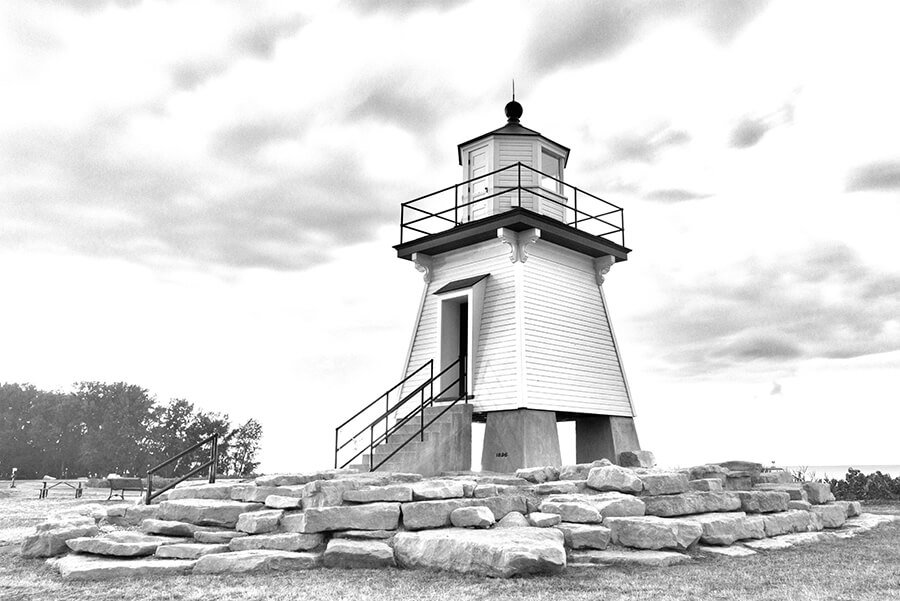
Controlling Display Gamma on the Synaptics DRM Driver
gamma_set is a userspace application to display BMP images and
control gamma correction on DRM CRTCs using the Synaptics display
driver.
Features
Loads and displays BMP images (24-bit and 32-bit)
Direct CRTC gamma control with specified CRTC ID
Interactive gamma value switching (
-ioption)Dynamic gamma table generation
Dumps gamma tables with formula (
-doption)BMP images are centered on the display
Gamma Formula
The gamma lookup table is generated using:
output = 255 * (input / 255) ^ gamma
Where:
input= 0, 1, 2, …, 255gamma= 1.8, 2.2, 2.4, 2.6
Supported Gamma Values
Value |
Effect |
|---|---|
0 |
Clear gamma (disable) |
1.8 |
Lighter image |
2.2 |
Standard (sRGB) |
2.4 |
Slightly darker |
2.6 |
Darker image |
Note
Gamma change is applicable only for SL1620 and SL26XX series platforms.
Source Code
https://github.com/synaptics-astra/application/blob/scarthgap_6.12_v2.6.1/display/gamma_set.c
Compilation
1. Setup Cross-Compilation Environment
. /data/jjogj/repos/snapshots/poly/toolchain/syna_image/poky_voip/environment-setup-cortexa55-poky-linux
2. Compile
$CC gamma_set.c -o gamma_set -ldrm -lm \
    -I /data/jjogj/repos/snapshots/poly/toolchain/syna_image/poky_voip/sysroots/cortexa55-poky-linux/usr/include/drm/
Note
-lm is required for math functions (pow, round).
Usage
gamma_set [-d] [-b <bmp_file>] [-i] <crtc_id> <gamma>

Arguments:
  crtc_id         DRM CRTC identifier (e.g., 36)
  gamma           Gamma value: 0 (clear), 1.8, 2.2, 2.4, 2.6

Options:
  -d              Dump all gamma tables before applying
  -b <bmp_file>   Display BMP file on CRTC before applying gamma
  -i              Interactive mode for changing gamma continuously
Examples
# Set gamma 2.2 on CRTC 36 (exits immediately)
gamma_set 36 2.2

# Dump tables, then set gamma
gamma_set -d 36 2.2

# Interactive mode on CRTC 36
gamma_set -i 36 2.2

# Display BMP and set gamma (waits for 'q' to quit)
gamma_set -b image.bmp 36 2.2

# Dump tables, display BMP, set gamma
gamma_set -d -b image.bmp 36 2.2

# Display BMP with interactive gamma switching
gamma_set -b image.bmp -i 36 2.2
Execution
Prerequisites
The application requires DRM master access (run as root)
Stop any display server that may hold DRM master (for
-bmode)For BMP mode: BMP image must be smaller than or equal to the display resolution
Mode 1: Direct CRTC Gamma Mode
Set gamma directly on a CRTC. Exits immediately after applying:
./gamma_set 36 2.2
Output:
Gamma 2.2 applied
Mode 2: BMP Display Mode
Display a BMP image and apply gamma. Waits for q to quit:
# Stop weston if running
systemctl stop weston

# Run gamma_set with BMP
./gamma_set -b /usr/share/grey.bmp 36 2.2
Output:
Loading BMP: /usr/share/grey.bmp
BMP loaded: 1920x1080
CRTC 36 current mode: 1920x1080
Found display: connector 33, CRTC 36, 1920x1080@60Hz
BMP displayed on CRTC 36
Gamma 2.2 applied
Press 'q' to quit: q
Mode 3: Interactive Mode
Change gamma values interactively without restarting:
./gamma_set -i 36 2.2
Output:
Gamma 2.2 applied

Interactive mode. Available gamma values: 0 (clear), 1.8, 2.2, 2.4, 2.6
Press 'q' to quit (or enter gamma value): 1.8
Gamma 1.8 applied
Press 'q' to quit (or enter gamma value): 0
Gamma cleared
Press 'q' to quit (or enter gamma value): q
Mode 4: BMP with Interactive Mode
Display a BMP and interactively change gamma:
./gamma_set -b image.bmp -i 36 2.2
Mode 5: With modetest
Use modetest to hold the display active while gamma_set
controls gamma.
Terminal 1 – Start display with modetest:
systemctl stop weston
modetest -M synaptics -s 33@36:#0 -d
Terminal 2 – Set gamma:
./gamma_set 36 2.2
./gamma_set 36 1.8
./gamma_set 36 0
Note
The CRTC ID and connector ID can be found using:
modetest -M synaptics
Mode 6: Dump Gamma Tables
./gamma_set -d 36 2.2
Output (truncated):
Gamma Table Generation Formula:
================================

  output = 255 * (input / 255) ^ gamma

  where: input = 0, 1, 2, ..., 255
         gamma = 1.8, 2.2, 2.4, 2.6

Gamma 1.8:  output = 255 * (input/255)^1.8
---------
  0,  0,  0,  0,  0,  0,  0,  0,  1,  1,  1,  1,  1,  1,  1,  2
  ...

Gamma 2.2 applied
Expected Results
Gamma |
Visual Effect |
|---|---|
1.8 |
Image appears lighter / washed out |
2.2 |
Standard appearance |
2.4 |
Image appears darker |
2.6 |
Image appears significantly darker |
0 |
Gamma disabled (linear) |
BMP Image Support
Supported formats: 24-bit and 32-bit BMP
BMP must be smaller than or equal to the display resolution
Images smaller than the display are centered on screen
Images larger than the display will cause an error:
Error: BMP image (2560x1440) is larger than display (1920x1080)
Display Support
Works with any connected display resolution
Automatically selects the preferred mode from EDID
Falls back to the first available mode if no preferred mode is reported
Error Messages
Error |
Cause |
|---|---|
|
Invalid or unsupported BMP file |
|
BMP resolution exceeds display |
|
No display connected to specified CRTC |
|
Gamma value not in the supported list |
|
Driver does not support GAMMA_LUT on this CRTC |
Notes
Direct mode (
gamma_set 36 2.2) exits immediately after applying gamma.BMP mode (
-b) waits forqto quit, keeping the display active.Interactive mode (
-i) allows changing gamma values without restarting.Options can be combined:
-d -b image.bmp -i.Gamma changes take effect immediately during the next vertical blanking interval.
Use
modetest -M synapticsto find connector and CRTC IDs.
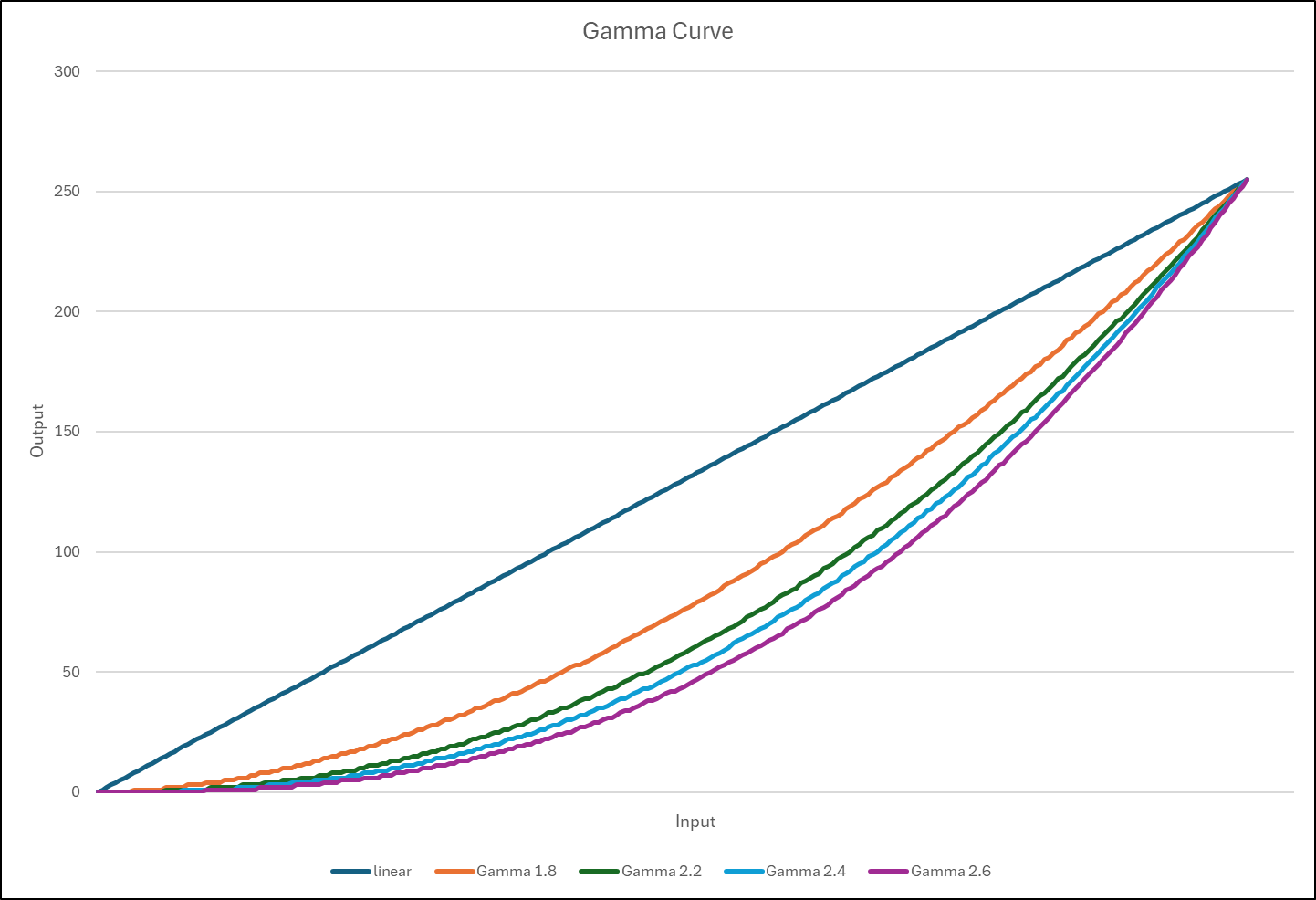
Gamma Curve
The formula below is used to calculate the gamma table; these values are used to plot the gamma curve:
output = 255 * (input / 255) ^ gamma

where: input = 0, 1, 2, ..., 255
       gamma = 1.8, 2.2, 2.4, 2.6
Example 1
Gamma disable
Gamma 1.8
Gamma 2.2
Gamma 2.4
Gamma 2.6
Example 2
Gamma disable
Gamma 1.8
Gamma 2.2
Gamma 2.4
Gamma 2.6.
Please find the attached original test images