SDC600 Get SCUK-ID and CCUK-ID User Guide for SL261x
Description
This user guide is used to get SCUK-ID and CCUK-ID.
Prerequisite
SPK is running.
Release Package
Item |
Requirement |
|---|---|
Debug probe |
J-Link. Install the driver required by the selected probe. |
OpenOCD |
Download and extract the OpenOCD package for your platform from the xPack OpenOCD releases page. Copy the following files from the
Factory repository
at
|
Terminal |
Tera Term, for connecting to |
Preparation
Install
JLink driverin Windows.Install
Tera Termin Windows.Create a folder in Windows, such as,
C:\sdc600_get_scukID_ccukID.Download and extract the OpenOCD package into the folder created above.
Copy the four files listed in the OpenOCD requirement into the root directory of the extracted OpenOCD package.
Note
For Windows, please use Windows 10 or higher.
Step-by-Step Instructions
Connected Jlink debugger to the board.
Boot up the system (TEE needs to be initialized for SDC600 interrupt to function).
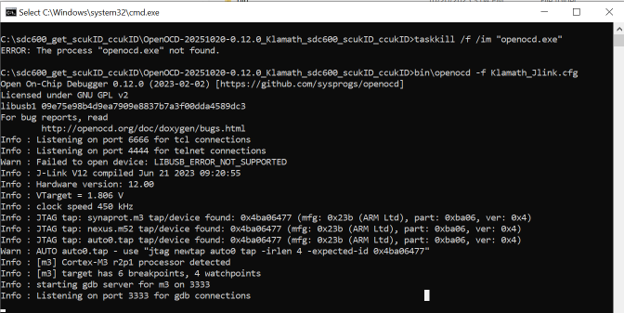
Open the OpenOCD JTAG:
Open the root directory of the extracted OpenOCD package, where you copied
Klamath_Jlink.bat.Click
Klamath_Jlink.bat
Click
telnet_localhost_4444.bat. Adjust the executable path intelnet_localhost_4444.batif Tera Term is installed in a non-default location.
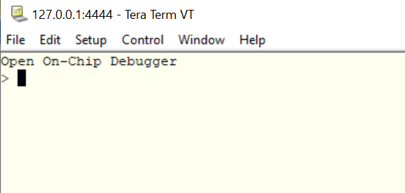
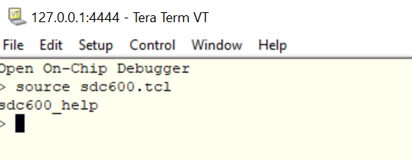
Input command
source sdc600.tcl.
Send
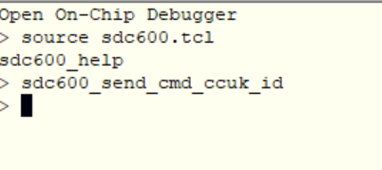
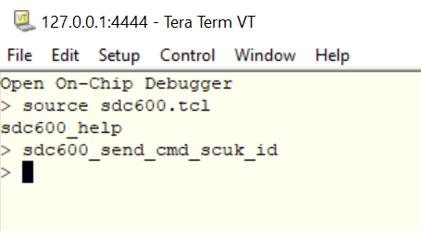
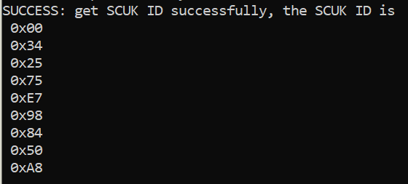
sdc600_send_cmd_scuk_idto get scuk id.The successful log is
SUCCESS: get SCUK ID successfully, the SCUK ID is <ID_VALUE>If the log is
ERROR: invalid command to get SCUK ID!, it means the command is incorrect.
Send
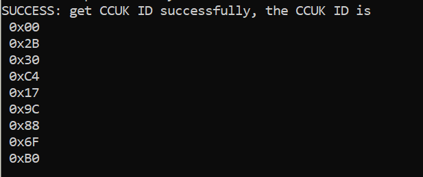
sdc600_send_cmd_ccuk_idto get ccuk id.If successful, get log
SUCCESS: get CCUK ID successfully, the CCUK ID is <ID_VALUE>.If the log is
ERROR: invalid command to get CCUK ID!, it means the command is incorrect.